
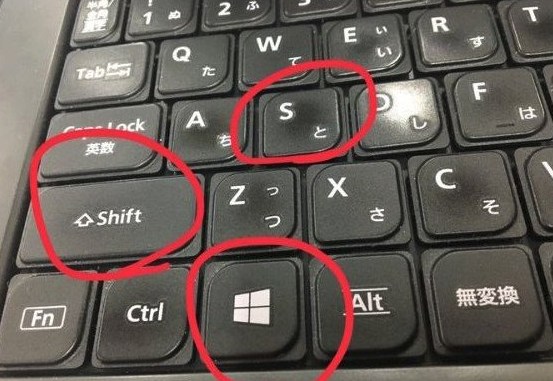
Recommended software: Under #WIN10, press Shift + Win + S to take a screenshot of any position on the full screen. You can also customize the shape of the screenshot. Floating layers that collapse when the mouse moves away can also be captured. This is a built-in system function, so you can selectively discard some screenshot software.
In addition, there is also a useful screenshot software in the Sogou input method (need to set a shortcut key to call out), as well as the screenshot function in the PC version of WeChat and the powerful screenshot function in the PC version of QQ (can recognize image text, etc.).
snapshot on windows10 -shift+win+s